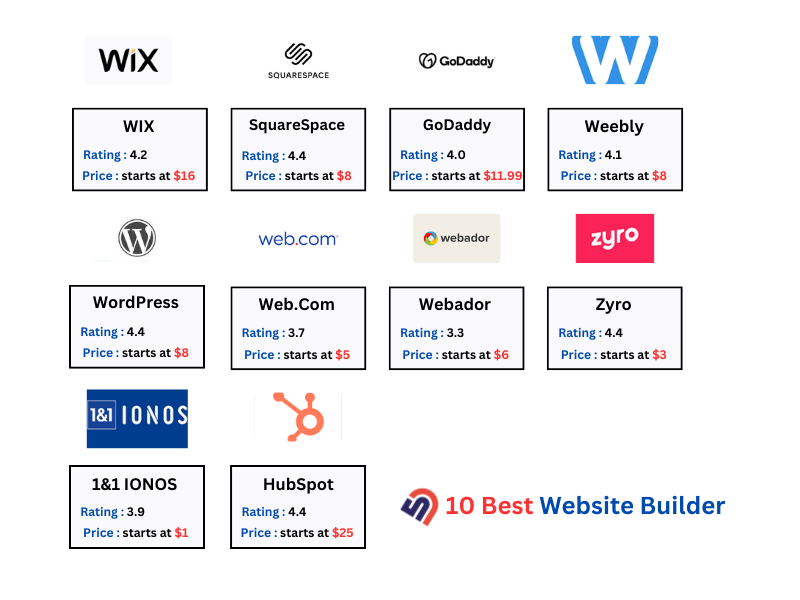
Best Website Builders 2025
Building a website in 2025 has never been easier. Whether you're a small business owner, creative professional, or aspiring entrepreneur, website builders have democratized web design by eliminating the need for coding skills. In this comprehensive guide, we compare the five best website builders available today to help you choose the perfect platform for your needs.
We tested each platform's ease of use, design quality, features, pricing, and customer support to bring you honest, unbiased reviews. Whether you need a simple blog, professional portfolio, or full e-commerce store, we've got you covered.
Quick Comparison Table
| Builder | Best For | Ease of Use | Starting Price | Rating |
|---|---|---|---|---|
| Wix | Beginners & Small Business | 9.5/10 | $16/mo | |
| Squarespace | Creatives & Portfolios | 9.0/10 | $16/mo | |
| Weebly | Simple Sites | 9.8/10 | $10/mo | |
| WordPress.com | Bloggers | 8.5/10 | $4/mo | |
| Shopify | E-commerce | 8.0/10 | $29/mo |
Top 5 Website Builders Reviewed
1. Wix - Best Overall 🏆
Starting Price: $16/month | Free Plan: Yes
Best For: Beginners, small businesses, portfolios, and anyone looking for an all-in-one solution.
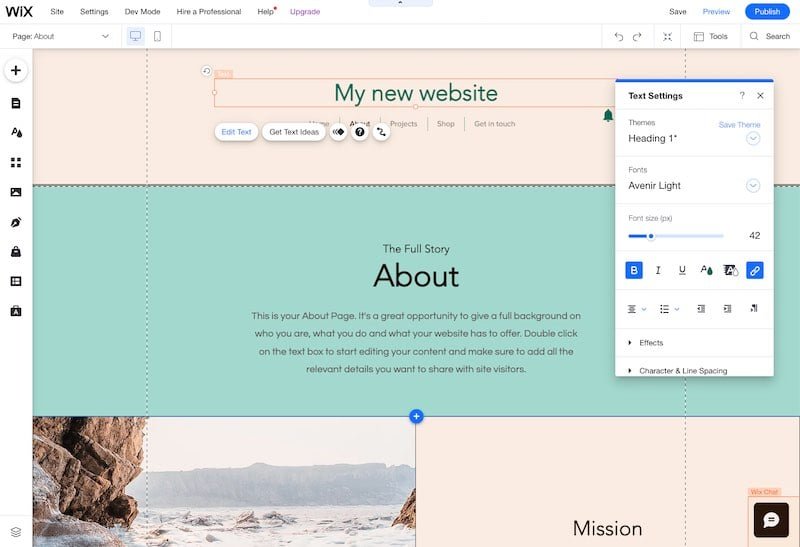
Wix is the gold standard for beginners. With 900+ professional templates and an intuitive drag-and-drop editor, you can create a stunning website in minutes without any coding knowledge. The platform offers two editing options: the traditional Wix Editor and the newer Wix Studio for more advanced users.
✅ Pros:
- 900+ professional templates
- Easiest drag-and-drop editor
- Wix ADI (AI website builder)
- App Market with 300+ integrations
- Free plan available (with Wix branding)
- 24/7 customer support
❌ Cons:
- Can't switch templates after publishing
- Ads on free plan
- Limited e-commerce on basic plans
- Slightly higher pricing than competitors
Key Features: Wix Editor (drag-and-drop), Wix ADI (AI-powered), SEO tools, mobile optimization, email marketing, and built-in analytics.
Start with Wix2. Squarespace - Best for Creatives 🎨
Starting Price: $16/month | Free Plan: No
Best For: Photographers, designers, artists, and creative professionals.
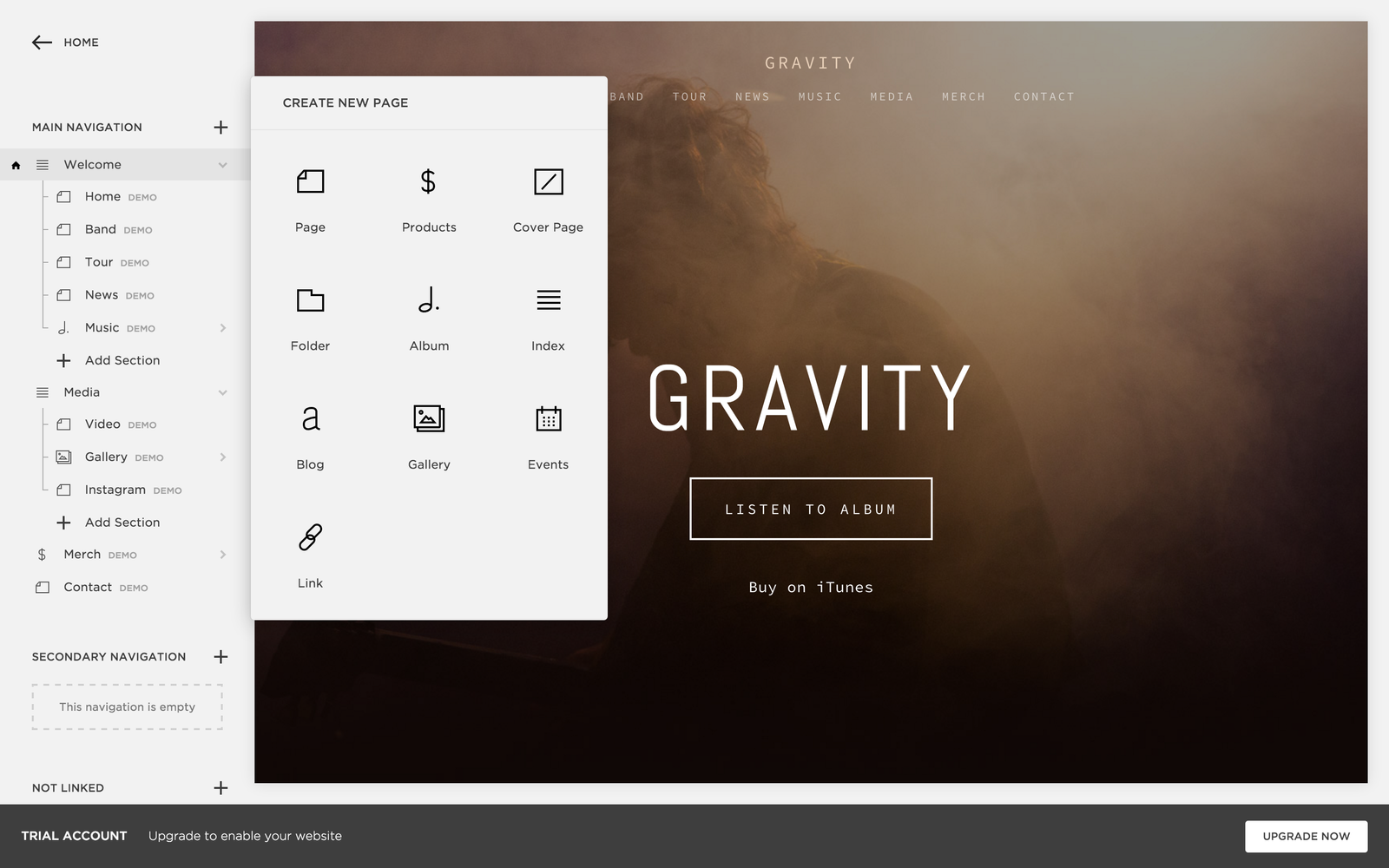
Squarespace is renowned for its stunning, award-winning templates and design-first approach. If aesthetics are your priority, Squarespace delivers beautiful websites out of the box. The platform is perfect for showcasing portfolios, selling digital products, or running a creative business.
✅ Pros:
- Stunning, award-winning templates
- Best design quality in the industry
- Built-in analytics and SEO tools
- Excellent blogging features
- All-in-one platform (no third-party tools needed)
- Email campaigns included
❌ Cons:
- Steeper learning curve than Wix
- Limited third-party integrations
- No free plan
- Less suitable for beginners
Key Features: Beautiful templates, advanced design customization, built-in SEO, e-commerce ready, email campaigns, and portfolio galleries.
Start with Squarespace3. Weebly - Best for Simplicity ⚡
Starting Price: $10/month | Free Plan: Yes
Best For: Simple websites, beginners, and budget-conscious users.
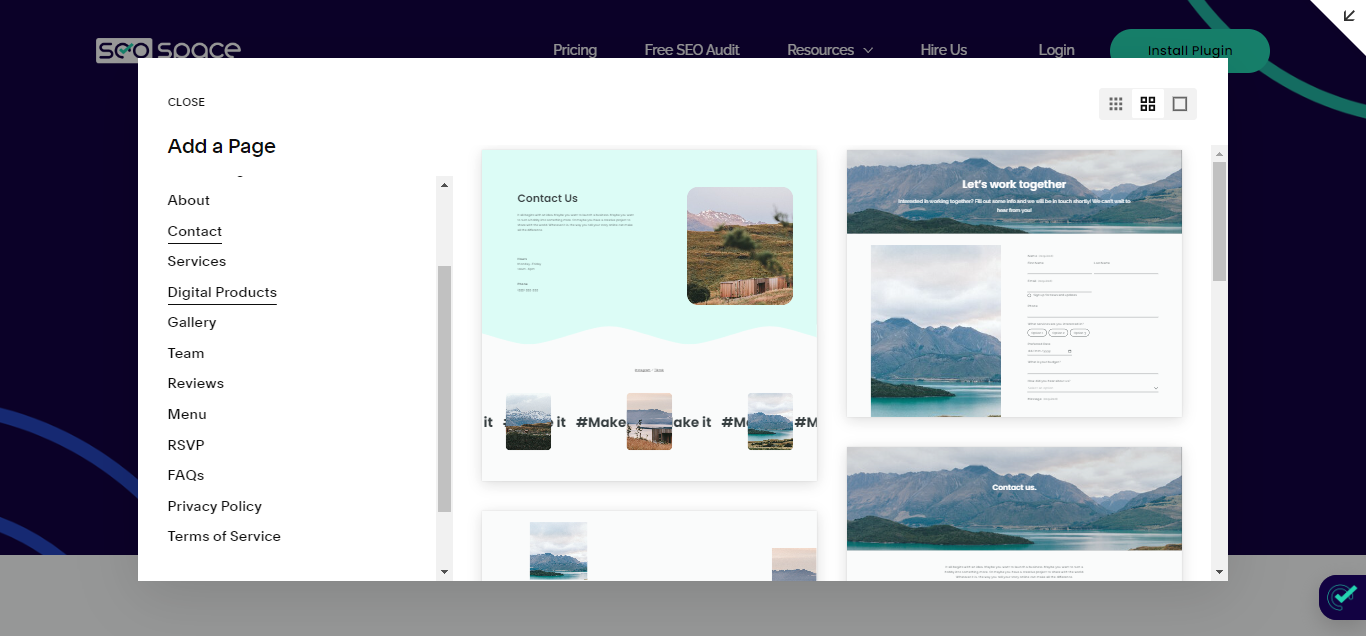
Weebly is the simplest website builder available. It's perfect if you want to get online quickly without overthinking design decisions. The platform offers straightforward templates and an easy-to-use editor that even complete beginners can master in minutes.
✅ Pros:
- Extremely easy to use
- Most affordable option ($10/month)
- Good e-commerce features
- Free plan available
- Mobile app for editing on-the-go
- Free SSL certificate
❌ Cons:
- Limited design flexibility
- Fewer templates than competitors
- Basic SEO features
- Limited customization options
Key Features: Simple drag-and-drop, mobile-responsive themes, e-commerce tools, free SSL, App Center integrations, and basic SEO.
Start with Weebly4. WordPress.com - Best for Bloggers 📝
Starting Price: $4/month | Free Plan: Yes
Best For: Bloggers, content creators, and writers.
WordPress.com is the most powerful blogging platform available. Built on the world's most popular content management system, it offers unmatched flexibility and scalability. If you're serious about blogging or content creation, WordPress.com is your best choice.
✅ Pros:
- Most powerful blogging platform
- Thousands of themes and plugins
- Excellent SEO capabilities
- Scalable (upgrade to self-hosted later)
- Free plan available
- Monetization options (ads, memberships)
❌ Cons:
- More complex than other builders
- Limited customization on free plan
- Plugins only available on higher plans
- Steeper learning curve
Key Features: WordPress block editor, SEO-optimized, monetization options, community support, Jetpack features, and thousands of themes.
Start with WordPress.com5. Shopify - Best for E-commerce 🛒
Starting Price: $29/month | Free Plan: No
Best For: Online stores, e-commerce businesses, and sellers.
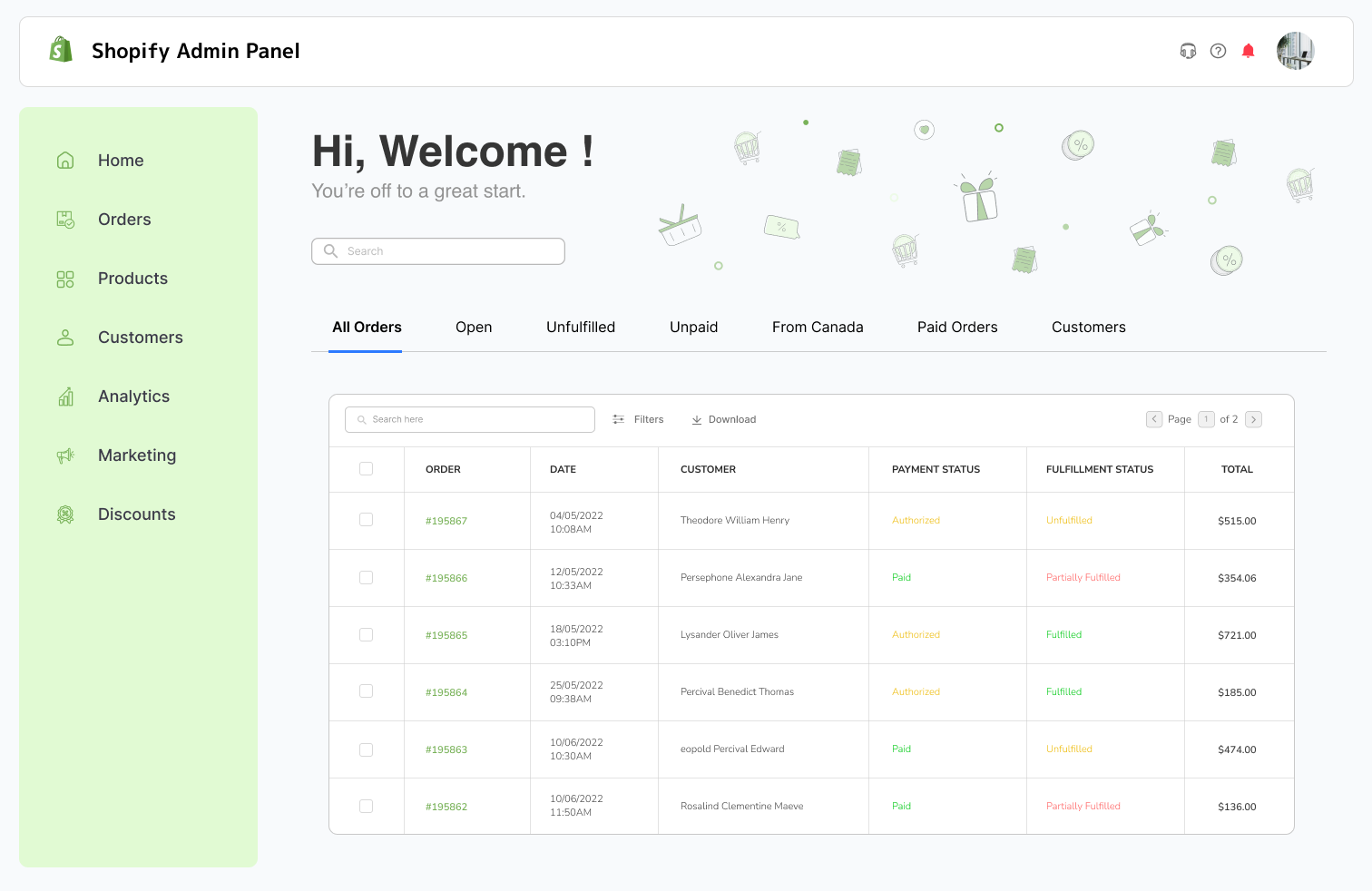
Shopify is the undisputed leader in e-commerce website builders. If you're selling products online, Shopify provides everything you need: inventory management, payment processing, shipping integration, and advanced analytics. It's the platform of choice for serious online sellers.
✅ Pros:
- Best e-commerce platform available
- Powerful inventory management
- 100+ payment gateways
- Abandoned cart recovery
- Shopify App Store (8,000+ apps)
- POS system included
❌ Cons:
- Most expensive option ($29+/month)
- Transaction fees (unless using Shopify Payments)
- Overkill for non-e-commerce sites
- Steeper learning curve
Key Features: Complete e-commerce solution, POS system, multi-channel selling, advanced analytics, 24/7 support, and 8,000+ apps.
Start with ShopifyWhat to Look For in a Website Builder
Choosing the right website builder depends on your specific needs. Here are the key factors to consider:
1. Ease of Use
The best website builder is one you'll actually use. Look for platforms with intuitive drag-and-drop editors and clear navigation. Weebly and Wix are the easiest for beginners, while Squarespace and WordPress.com require more learning.
2. Design Quality
Your website's appearance matters. Squarespace offers the most beautiful templates, while Wix provides the most variety. Weebly's templates are simpler but still professional.
3. Features and Functionality
Consider what features you need: blogging, e-commerce, email marketing, SEO tools, or analytics. Shopify excels at e-commerce, WordPress.com at blogging, and Wix at being an all-in-one solution.
4. Pricing
Website builder costs range from $4/month (WordPress.com) to $29+/month (Shopify). Consider the total cost including add-ons and whether a free plan is important to you.
5. E-commerce Capabilities
If you plan to sell products, Shopify is the clear winner. Wix and Squarespace offer decent e-commerce features, while Weebly and WordPress.com are more limited.
6. SEO Tools
All modern website builders include basic SEO tools. WordPress.com and Wix offer the most advanced SEO features, while Shopify focuses on e-commerce optimization.
7. Mobile Responsiveness
Your website must look great on mobile devices. All five builders automatically optimize for mobile, so this shouldn't be a deciding factor.
8. Customer Support
Look for 24/7 support options. Wix and Shopify offer the best customer support, while WordPress.com relies more on community support.
How to Choose the Right Website Builder
Here's a quick guide to help you decide:
- For Beginners: Choose Wix or Weebly. Both are extremely easy to use and offer free plans.
- For Creatives: Choose Squarespace. Its beautiful templates are perfect for portfolios and creative businesses.
- For Bloggers: Choose WordPress.com. It's the most powerful blogging platform with excellent SEO features.
- For Online Stores: Choose Shopify. It's the best e-commerce platform with powerful selling tools.
- For Budget: Choose Weebly or WordPress.com. Both offer affordable plans starting at $4-10/month.
Frequently Asked Questions
Which website builder is easiest to use?
Weebly is the simplest, followed by Wix. Both offer intuitive drag-and-drop editors that beginners can master in minutes. Squarespace and WordPress.com have steeper learning curves, while Shopify is best for e-commerce specialists.
Can I switch website builders later?
Yes, but it requires rebuilding your site. Most builders don't offer easy migration tools, so you'll need to recreate your content on the new platform. This is why choosing the right builder from the start is important.
Do I need coding skills?
No. All five builders are designed for non-technical users. You can create a professional website using only the visual editor, though some builders offer code editing for advanced users.
Which is better: Wix or Squarespace?
Wix is better for ease of use and all-in-one features. Squarespace is better for design quality and aesthetics. Choose Wix if you want simplicity, choose Squarespace if you want beauty.
Can I sell products with these builders?
Yes, all builders support e-commerce. However, Shopify is specifically designed for online selling and offers the most powerful e-commerce features. Wix and Squarespace are good alternatives for smaller stores.
Are website builders good for SEO?
Yes, all modern website builders include SEO tools. WordPress.com and Wix offer the most advanced SEO features, but all builders can rank well in Google with proper optimization.
How much does a website builder cost?
Costs range from $4/month (WordPress.com) to $29+/month (Shopify). Most builders offer free plans with limitations. Premium plans typically cost $10-20/month and include custom domains and advanced features.
Can I use my own domain name?
Yes, all builders support custom domains. You can either purchase a domain through the builder or connect an existing domain you own. Most builders charge $10-15/year for domain registration.
Final Verdict: Which Website Builder Should You Choose?
Overall Winner: Wix 🏆
Wix is the best all-around website builder for most users. It offers the perfect balance of ease of use, design quality, features, and pricing. Whether you're a beginner or experienced user, Wix has the tools you need to create a professional website.
Runner-up: Squarespace
If design is your top priority, Squarespace is unbeatable. Its award-winning templates and design-first approach make it perfect for creatives and design-conscious users.
Best Value: Weebly
For budget-conscious users, Weebly offers the cheapest plans ($10/month) with solid features and ease of use.
Recommendation by Use Case:
- Small Business: Wix - Best all-around features and ease of use
- Portfolio/Creative: Squarespace - Best design quality
- Blog: WordPress.com - Most powerful blogging platform
- Online Store: Shopify - Best e-commerce features
- Budget: Weebly - Cheapest option with good features
No matter which builder you choose, you'll be able to create a professional website that helps you achieve your goals. Start with a free trial or free plan to test the platform before committing to a paid subscription.
Affiliate Disclosure: CompareForge may earn a commission when you purchase through links on our site. This helps us keep our content free and up-to-date. We only recommend website builders we've thoroughly tested and believe provide genuine value.