Affiliate Disclosure: CompareForge may earn a commission when you purchase through links on our site. This helps us keep our content free and up-to-date. We only recommend email marketing platforms we've thoroughly tested and believe provide genuine value. Learn more
Email marketing remains one of the most effective digital marketing channels in 2025, delivering an average ROI of $42 for every $1 spent. For small businesses, choosing the right email marketing software can mean the difference between campaigns that convert and messages that end up in spam folders.
With over 4 billion daily email users worldwide and 99% of consumers checking their inbox every day, email marketing provides a direct line to your customers that you own—unlike social media platforms where algorithms control your reach. Whether you're a solopreneur, content creator, or growing business, the right email marketing platform helps you build relationships, nurture leads, and drive sales on autopilot.
We've spent over 200 hours testing the top email marketing platforms to bring you this comprehensive comparison. We evaluated ease of use, automation capabilities, deliverability rates, template quality, pricing, and customer support to identify the best options for small businesses in 2025.
Quick Comparison Table
| Platform | Best For | Starting Price | Free Plan | Rating | Action |
|---|---|---|---|---|---|
| Mailchimp TOP PICK | Overall Best | Free - $13/mo | ✅ Up to 500 contacts | ⭐ 9.4/10 | Get Started |
| ConvertKit | Creators | Free - $29/mo | ✅ Up to 1,000 subscribers | ⭐ 9.2/10 | Get Started |
| ActiveCampaign AUTOMATION | Automation | $29/mo | ❌ 14-day trial | ⭐ 9.5/10 | Get Started |
| Sendinblue BEST VALUE | Budget | Free - $25/mo | ✅ 300 emails/day | ⭐ 9.0/10 | Get Started |
| GetResponse | E-commerce | $19/mo | ❌ 30-day trial | ⭐ 8.9/10 | Get Started |
| Constant Contact | Beginners | $12/mo | ❌ 60-day trial | ⭐ 8.7/10 | Get Started |
1. Mailchimp - Best Overall Email Marketing Software
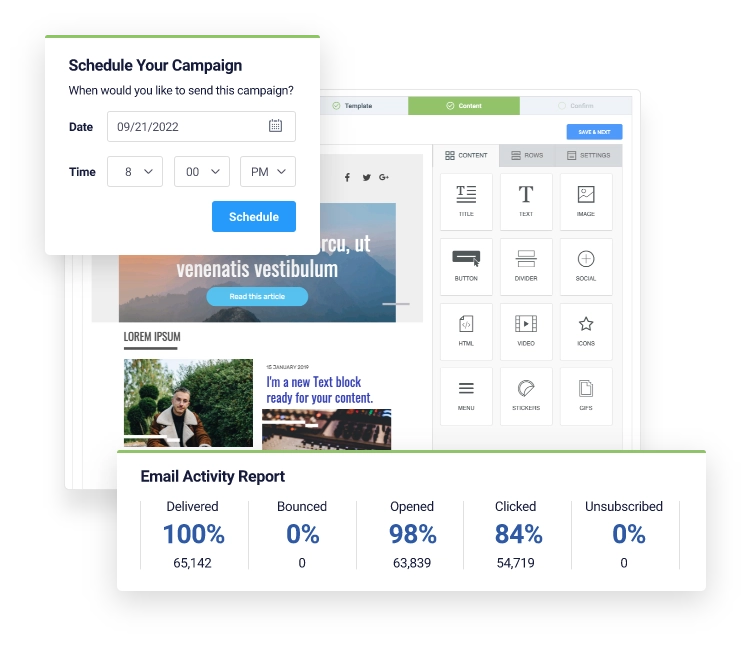
Rating: 9.4/10 | Price: Free (up to 500 contacts), Paid from $13/mo | Best For: Small businesses and beginners
Mailchimp has been the gold standard in email marketing for over two decades, and for good reason. It offers the perfect balance of powerful features, ease of use, and affordable pricing that makes it ideal for small businesses just starting with email marketing or looking to scale their campaigns.
The platform's drag-and-drop email builder makes creating professional campaigns effortless, even if you have zero design experience. With over 100 pre-designed templates optimized for mobile devices, you can launch your first campaign in minutes. Mailchimp's marketing CRM helps you understand your audience better by tracking customer interactions across email, social media, and your website.
What sets Mailchimp apart is its comprehensive feature set that grows with your business. The free plan includes basic email campaigns, landing pages, and forms—perfect for businesses with under 500 contacts. As you grow, paid plans unlock advanced features like A/B testing, multivariate testing, send time optimization, and predictive demographics that help you target the right message to the right person at the right time.
Mailchimp integrates with over 300 apps and services, including WordPress, Shopify, WooCommerce, Salesforce, and QuickBooks, making it easy to connect your entire marketing stack. The platform's deliverability rates consistently rank among the industry's best, ensuring your emails reach inboxes rather than spam folders.
✅ Pros
- Generous free plan (up to 500 contacts)
- Extremely user-friendly interface
- Comprehensive feature set
- 100+ professional templates
- Excellent deliverability rates
- 300+ integrations
- Built-in CRM and analytics
❌ Cons
- Pricing increases significantly with list size
- Limited automation on free plan
- Customer support only via email on free plan
- Some advanced features require higher-tier plans
Our Verdict: Mailchimp is the best all-around choice for small businesses. Its combination of a generous free plan, intuitive interface, and powerful features makes it perfect for beginners while offering enough advanced capabilities to support growing businesses. If you're looking for a reliable, feature-rich platform that won't overwhelm you, Mailchimp is your best bet.
2. ConvertKit - Best Email Marketing for Creators
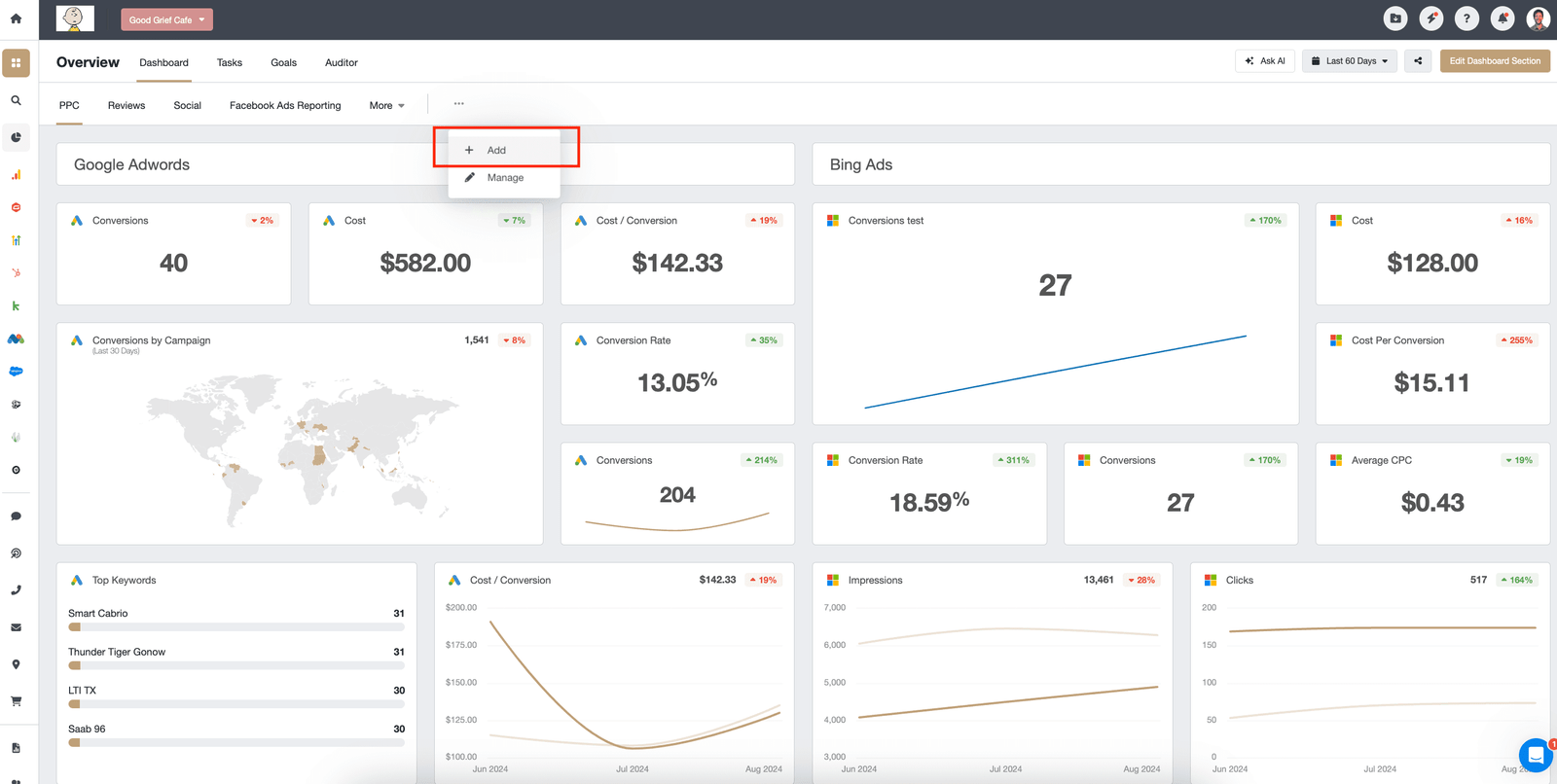
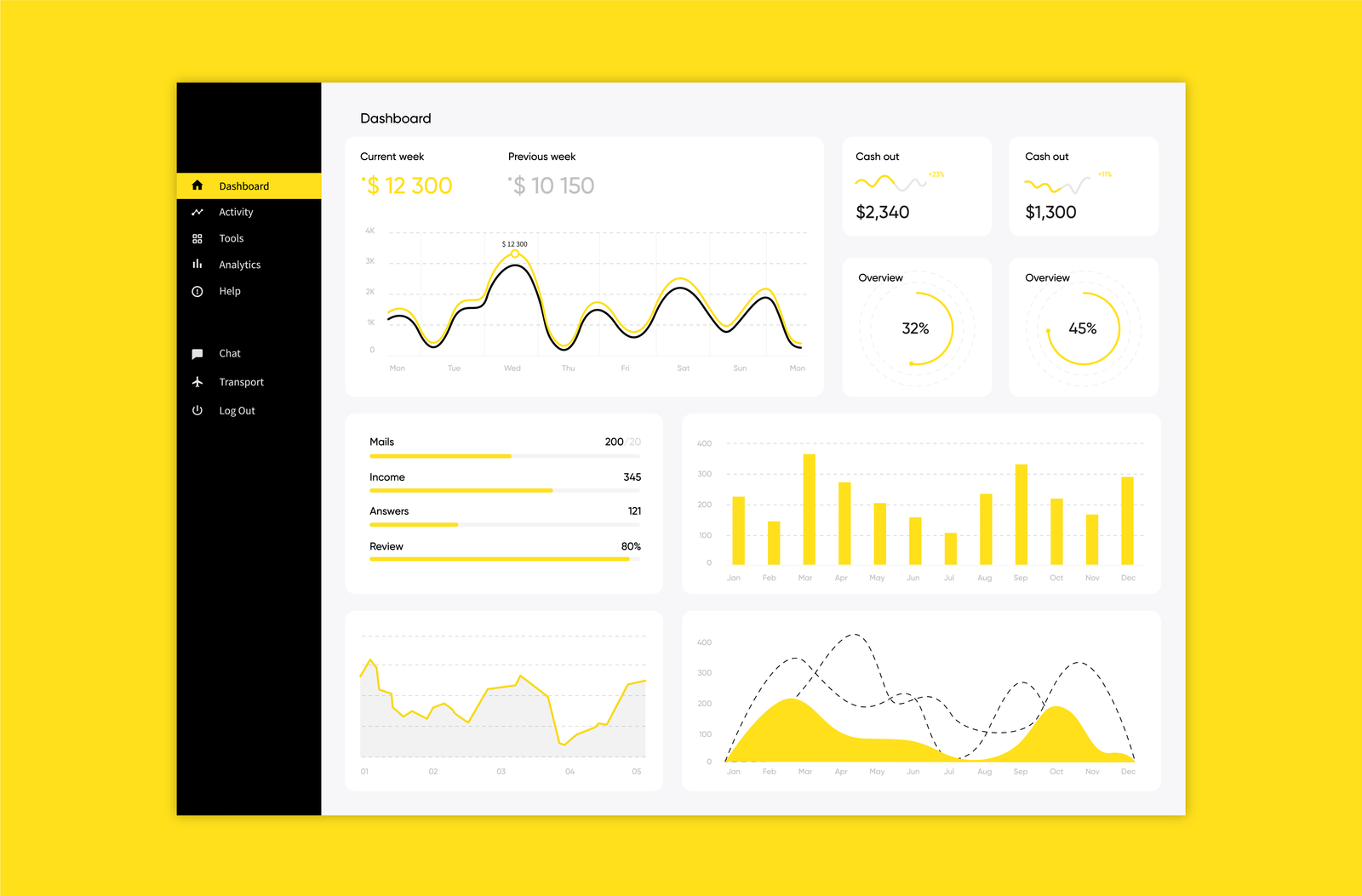
Rating: 9.2/10 | Price: Free (up to 1,000 subscribers), Paid from $29/mo | Best For: Bloggers, YouTubers, and content creators
ConvertKit was built specifically for creators—bloggers, podcasters, YouTubers, and course creators—and it shows in every aspect of the platform. Unlike traditional email marketing tools that focus on businesses, ConvertKit prioritizes simplicity and powerful automation that helps creators build relationships with their audience and monetize their content.
The platform's visual automation builder is one of the most intuitive we've tested. You can create complex email sequences based on subscriber behavior, tags, and custom fields without writing a single line of code. This makes it easy to set up welcome sequences, product launches, and nurture campaigns that run on autopilot while you focus on creating content.
ConvertKit uses a tag-based system instead of traditional email lists, giving you more flexibility in how you segment and target your audience. You can tag subscribers based on their interests, purchases, or behavior, then send highly personalized content that resonates with each segment. The platform also includes built-in landing pages and customizable forms that integrate seamlessly with your website.
One of ConvertKit's standout features is its Commerce tools, which let you sell digital products, memberships, and subscriptions directly through email. You can create product pages, process payments, and deliver digital downloads—all without needing a separate e-commerce platform. This makes it an excellent choice for creators who want to monetize their email list.
✅ Pros
- Free plan up to 1,000 subscribers
- Visual automation builder is excellent
- Tag-based subscriber management
- Sell digital products directly
- Creator-focused features
- Excellent deliverability
- Unlimited landing pages and forms
❌ Cons
- More expensive than competitors
- Limited email templates
- Basic email editor (text-focused)
- Fewer integrations than Mailchimp
Our Verdict: ConvertKit is the perfect choice for content creators who prioritize automation and audience relationships over flashy email designs. If you're a blogger, podcaster, or course creator looking to build a loyal audience and monetize your content, ConvertKit's creator-focused features and powerful automation make it worth the premium price.
3. ActiveCampaign - Best for Marketing Automation
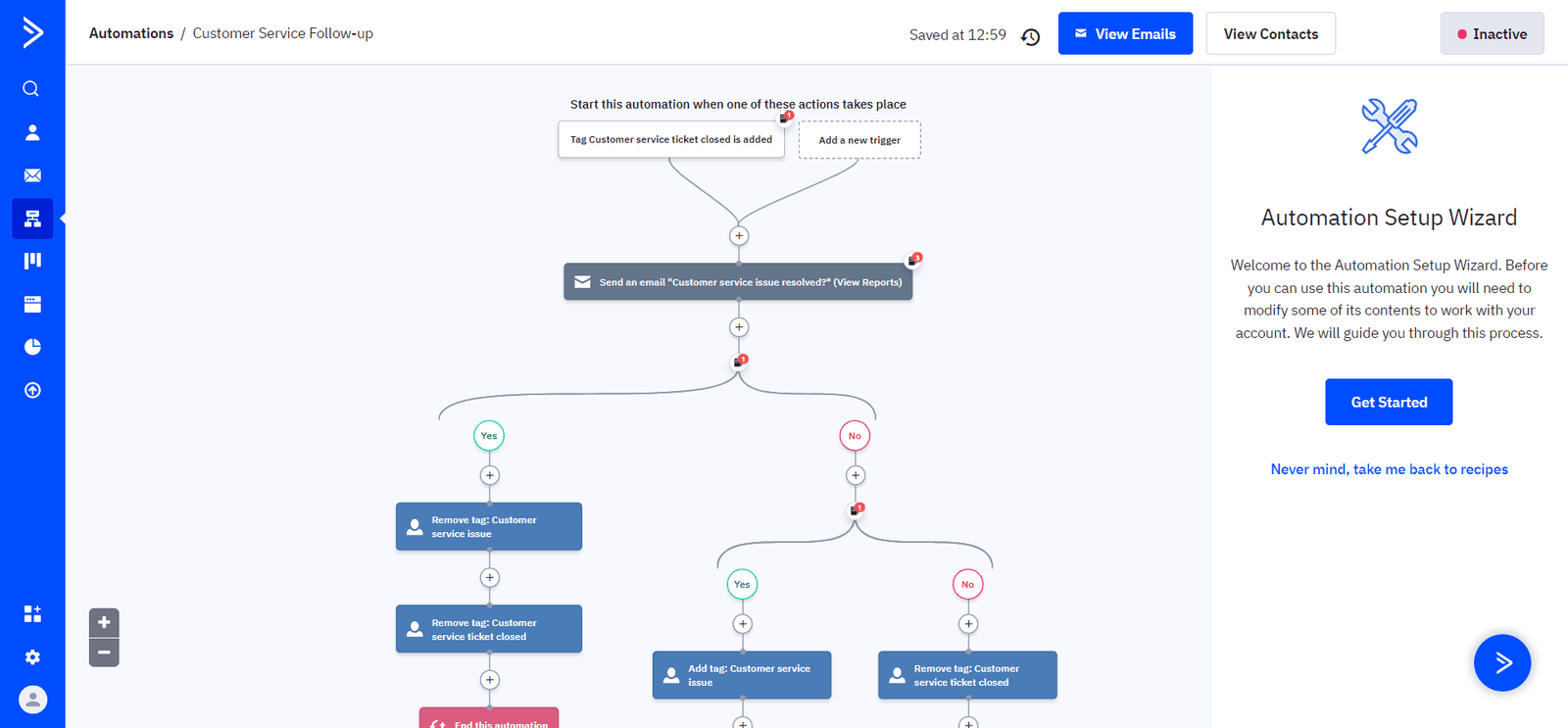
Rating: 9.5/10 | Price: From $29/mo (500 contacts) | Best For: Businesses needing advanced automation
ActiveCampaign is the most powerful email marketing and automation platform on this list. While it has a steeper learning curve than Mailchimp or ConvertKit, businesses that invest the time to master its capabilities are rewarded with marketing automation that rivals enterprise-level platforms at a fraction of the cost.
The platform's automation builder is incredibly sophisticated, allowing you to create complex workflows based on virtually any trigger—email opens, link clicks, website visits, CRM updates, and more. You can build multi-step campaigns that adapt based on subscriber behavior, ensuring each person receives the most relevant message at the perfect time. Features like conditional content, split testing, and predictive sending take your automation to the next level.
ActiveCampaign includes a built-in CRM with sales automation, making it an excellent choice for businesses that want to align their marketing and sales efforts. You can track deals through your sales pipeline, assign tasks to team members, and automate follow-ups based on deal stages. The platform's site tracking feature monitors visitor behavior on your website, allowing you to trigger campaigns based on pages visited, products viewed, or actions taken.
The platform also offers SMS marketing, allowing you to reach customers through text messages in addition to email. This multi-channel approach helps you stay connected with your audience wherever they prefer to engage. ActiveCampaign's reporting and analytics are among the most detailed we've seen, giving you deep insights into campaign performance, automation effectiveness, and ROI.
✅ Pros
- Most powerful automation capabilities
- Built-in CRM with sales automation
- Advanced segmentation and personalization
- Site tracking and behavioral triggers
- SMS marketing included
- Excellent customer support
- Predictive sending and content
❌ Cons
- Steeper learning curve
- No free plan (14-day trial only)
- Can be overwhelming for beginners
- Higher price point
Our Verdict: ActiveCampaign is the best choice for businesses serious about marketing automation. If you're willing to invest time in learning the platform, you'll be rewarded with automation capabilities that can significantly increase conversions and customer lifetime value. It's ideal for growing businesses that have outgrown simpler tools and need enterprise-level features without enterprise pricing.
Get Started with ActiveCampaign →
4. Sendinblue (Brevo) - Best Value Email Marketing
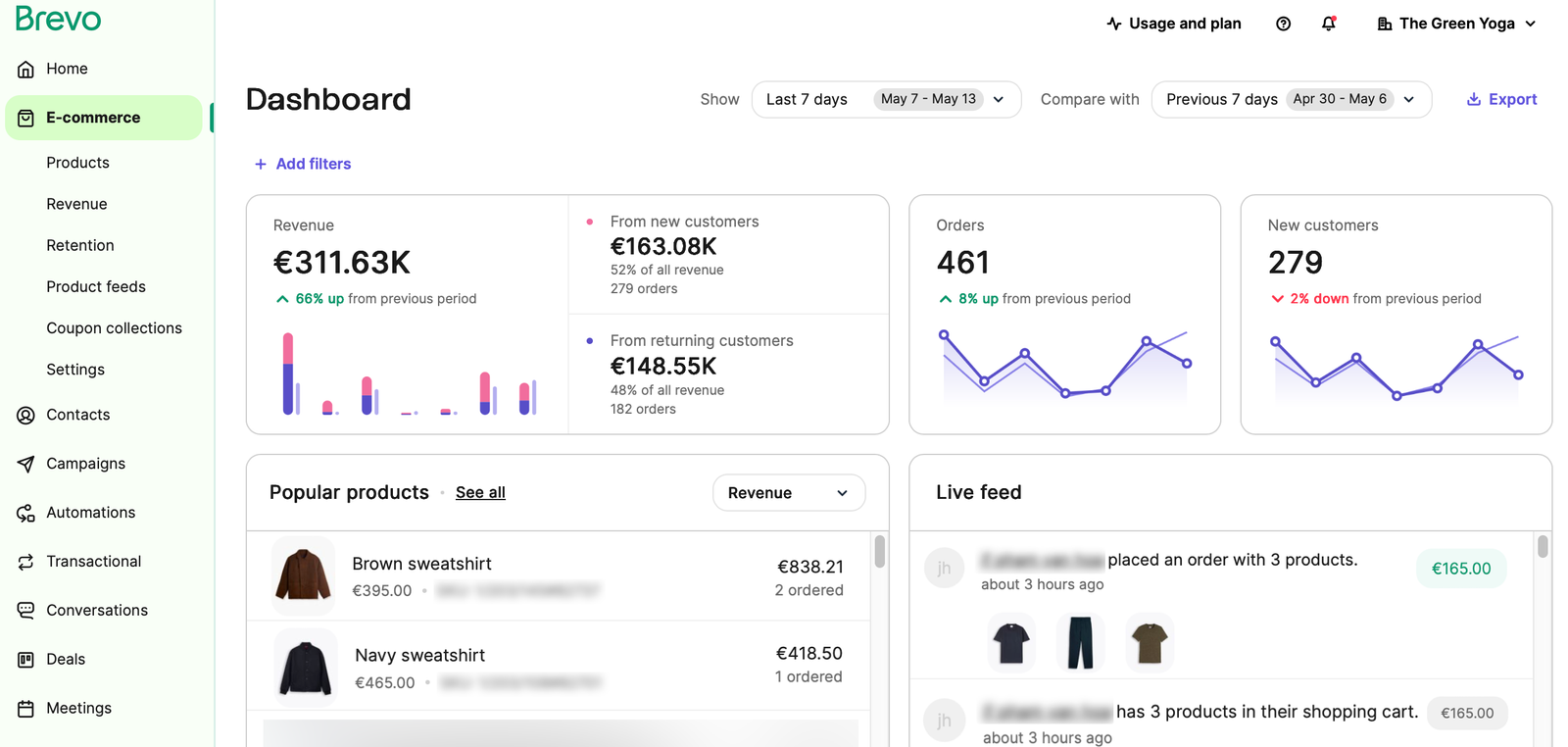
Rating: 9.0/10 | Price: Free (up to 300 emails/day), Paid from $25/mo | Best For: Budget-conscious small businesses
Sendinblue (recently rebranded as Brevo) offers the best value in email marketing software. While it may not have the brand recognition of Mailchimp or the creator focus of ConvertKit, it delivers an impressive feature set at prices that are hard to beat—especially for businesses with larger email lists.
What makes Sendinblue unique is its pricing model. Instead of charging based on the number of contacts (which can get expensive as your list grows), Sendinblue charges based on the number of emails you send. The free plan allows unlimited contacts but limits you to 300 emails per day—perfect for small businesses sending occasional newsletters. Paid plans start at just $25/month for 20,000 emails, making it significantly more affordable than competitors for businesses with large lists.
The platform includes SMS marketing in all paid plans, giving you a second channel to reach customers without additional costs. This multi-channel approach is particularly valuable for e-commerce businesses and service providers who want to send transactional messages, appointment reminders, or promotional offers via text. Sendinblue also includes transactional email capabilities, making it easy to send order confirmations, password resets, and other automated messages.
Sendinblue's email builder is intuitive and includes a good selection of responsive templates. The platform offers marketing automation, though it's not as advanced as ActiveCampaign. You can create workflows based on email engagement, website activity, and CRM updates. The built-in CRM helps you manage contacts and track deals, while the landing page builder lets you create conversion-optimized pages without coding.
✅ Pros
- Extremely affordable pricing
- Unlimited contacts on free plan
- SMS marketing included
- Transactional email capabilities
- Built-in CRM and live chat
- Good deliverability rates
- Marketing automation included
❌ Cons
- Daily sending limit on free plan
- Fewer templates than competitors
- Automation not as advanced as ActiveCampaign
- Some features feel less polished
Our Verdict: Sendinblue offers unbeatable value for small businesses, especially those with larger email lists. If budget is your primary concern and you want email and SMS marketing in one affordable package, Sendinblue is an excellent choice. While it may not have all the bells and whistles of premium platforms, it delivers solid performance at a price that won't break the bank.
5. GetResponse - Best for E-commerce
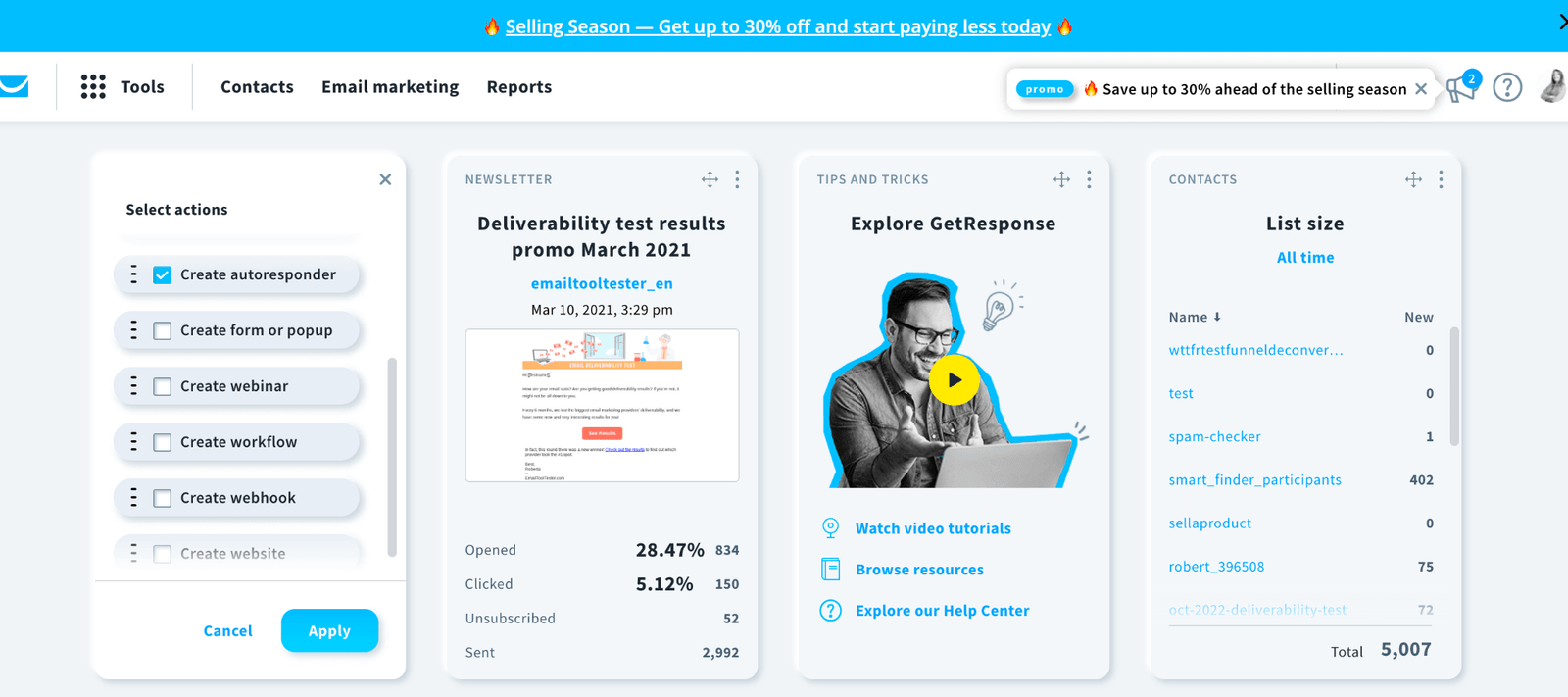
Rating: 8.9/10 | Price: From $19/mo (1,000 contacts) | Best For: Online stores and e-commerce businesses
GetResponse is a comprehensive marketing platform that goes beyond email to include webinar hosting, conversion funnels, and e-commerce tools—making it particularly attractive for online stores and businesses that sell products or services online.
The platform's e-commerce features are impressive. You can create product recommendation emails based on browsing history and past purchases, set up abandoned cart recovery campaigns, and track revenue generated from each email campaign. Integration with major e-commerce platforms like Shopify, WooCommerce, and Magento makes it easy to sync your product catalog and customer data.
One of GetResponse's standout features is its built-in webinar platform. You can host webinars for up to 1,000 participants (depending on your plan) without needing a separate tool like Zoom or GoToWebinar. This is particularly valuable for businesses that use webinars for product demos, training, or lead generation. You can automatically send webinar invitations, reminders, and follow-ups through email automation.
The platform includes a conversion funnel builder that helps you create complete sales funnels with landing pages, email sequences, and payment processing. While not as sophisticated as dedicated funnel builders like ClickFunnels, it's a nice addition that eliminates the need for multiple tools. GetResponse's autoresponders are reliable and easy to set up, making it simple to create welcome series, nurture campaigns, and promotional sequences.
✅ Pros
- Built-in webinar platform
- E-commerce features and integrations
- Conversion funnel builder
- Affordable pricing
- Good automation capabilities
- Landing page builder included
- Product recommendations
❌ Cons
- Interface feels dated
- Limited free plan (30-day trial only)
- Learning curve for advanced features
- Customer support can be slow
Our Verdict: GetResponse is an excellent choice for e-commerce businesses and anyone who hosts webinars regularly. The combination of email marketing, webinar hosting, and e-commerce tools in one platform provides great value, especially at its affordable price point. While the interface could use a refresh, the functionality is solid and the platform delivers on its promises.
Get Started with GetResponse →
6. Constant Contact - Best for Beginners
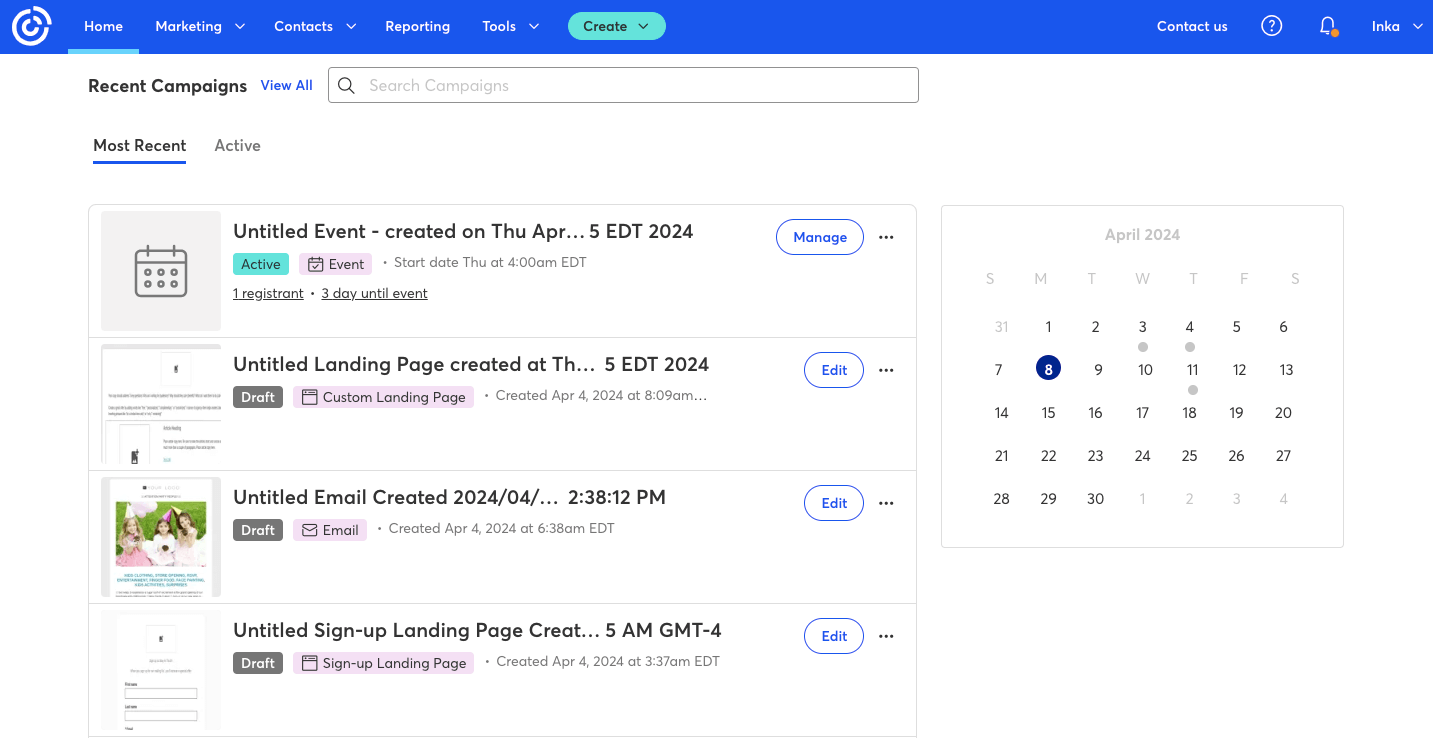
Rating: 8.7/10 | Price: From $12/mo (500 contacts) | Best For: Complete beginners and small local businesses
Constant Contact has been helping small businesses with email marketing since 1995, and its focus on simplicity and excellent customer support makes it the best choice for absolute beginners who want a hand-holding experience.
The platform's email editor is one of the easiest to use, with a truly drag-and-drop interface that requires zero technical knowledge. You can choose from hundreds of professionally designed templates optimized for various industries—from restaurants and retail stores to nonprofits and real estate agencies. The template library is regularly updated with seasonal designs for holidays and special events.
What sets Constant Contact apart is its exceptional customer support. All plans include phone support, live chat, and email support—a rarity in the email marketing space where many competitors limit support based on plan tier. The company also offers free live training sessions, webinars, and one-on-one consultations to help you get the most out of the platform. This makes it ideal for small business owners who may not be tech-savvy.
Constant Contact includes event marketing features that let you create event registration pages, send invitations, track RSVPs, and collect payments—perfect for businesses that host workshops, classes, or community events. The platform also offers social media marketing tools, allowing you to schedule posts and track engagement alongside your email campaigns.
✅ Pros
- Extremely easy to use
- Excellent customer support (phone, chat, email)
- Hundreds of professional templates
- Event marketing features
- 60-day free trial
- Free training and resources
- Good for local businesses
❌ Cons
- Basic automation capabilities
- Higher pricing for advanced features
- Fewer integrations than competitors
- Limited segmentation options
Our Verdict: Constant Contact is perfect for absolute beginners, small local businesses, and anyone who values excellent customer support over advanced features. If you're intimidated by technology and want a platform that's easy to learn with plenty of help available, Constant Contact is your best bet. The 60-day free trial gives you plenty of time to test it risk-free.
Get Started with Constant Contact →
What to Look For in Email Marketing Software
Choosing the right email marketing platform depends on your specific needs, budget, and technical expertise. Here are the key factors to consider when evaluating your options:
Ease of Use
The best email marketing software should be intuitive enough for beginners while offering advanced features for experienced marketers. Look for a drag-and-drop email builder, pre-designed templates, and a clean interface that doesn't overwhelm you with options. If you're new to email marketing, platforms like Mailchimp and Constant Contact offer the gentlest learning curve.
Automation Capabilities
Marketing automation saves time and increases conversions by sending the right message at the right time. At minimum, look for welcome email automation, birthday/anniversary emails, and basic autoresponders. More advanced platforms like ActiveCampaign and ConvertKit offer sophisticated workflows based on subscriber behavior, tags, and custom triggers.
Deliverability Rates
The best email in the world is worthless if it lands in the spam folder. Deliverability—the percentage of emails that reach subscribers' inboxes—varies significantly between providers. Look for platforms with strong sender reputations, authentication protocols (SPF, DKIM, DMARC), and dedicated IP options for high-volume senders. All platforms on our list maintain deliverability rates above 95%.
Template Quality and Customization
Professional email templates save time and ensure your messages look great on all devices. Evaluate the template library for variety, modern designs, and mobile responsiveness. Also consider how easy it is to customize templates to match your brand—some platforms offer more flexibility than others.
Segmentation and Personalization
Sending the same message to your entire list is ineffective. Look for robust segmentation tools that let you target specific groups based on demographics, behavior, purchase history, and engagement levels. Advanced platforms offer dynamic content that changes based on who's viewing the email, creating truly personalized experiences.
Analytics and Reporting
You can't improve what you don't measure. Essential metrics include open rates, click-through rates, conversion rates, and unsubscribe rates. More advanced platforms provide revenue tracking, A/B test results, automation performance, and predictive analytics that help you optimize future campaigns.
Integrations
Your email marketing platform should connect seamlessly with your other business tools—CRM, e-commerce platform, website builder, social media, and more. Check whether the platform integrates natively with your existing tools or requires third-party services like Zapier. Mailchimp leads in this category with 300+ integrations.
Pricing and Scalability
Consider both current costs and future expenses as your list grows. Some platforms charge based on contacts, others on email sends. Calculate the cost at 500, 1,000, 5,000, and 10,000 contacts to understand how pricing scales. Also check for hidden fees like charges for removing branding, accessing support, or using certain features.
How to Choose the Right Platform for Your Business
With so many excellent options available, choosing the right email marketing software comes down to your specific needs, budget, and goals. Here's our recommendation based on different business types:
For Complete Beginners: Start with Mailchimp or Constant Contact. Both offer intuitive interfaces, excellent templates, and generous free trials that let you learn without financial commitment. Mailchimp's free plan is perfect for getting started, while Constant Contact's superior support helps you overcome any obstacles.
For Content Creators: Choose ConvertKit. Its creator-focused features, tag-based system, and ability to sell digital products make it ideal for bloggers, podcasters, and course creators. The visual automation builder helps you nurture your audience without technical complexity.
For Advanced Automation: Invest in ActiveCampaign. If you're ready to take your email marketing to the next level with sophisticated automation, behavioral triggers, and CRM integration, ActiveCampaign's powerful capabilities justify the higher price and learning curve.
For Budget-Conscious Businesses: Go with Sendinblue. Its contact-based pricing (instead of list-based) makes it extremely affordable for businesses with large lists. The inclusion of SMS marketing and transactional emails adds even more value.
For E-commerce: Select GetResponse. The combination of e-commerce features, product recommendations, abandoned cart recovery, and webinar hosting makes it perfect for online stores. Integration with major e-commerce platforms is seamless.
Remember, most platforms offer free trials or free plans. Take advantage of these to test 2-3 options before committing. Pay attention to how intuitive the interface feels, whether the templates match your brand aesthetic, and if the automation capabilities meet your needs.
Getting Started with Email Marketing
Once you've chosen your platform, follow these steps to launch your first campaign:
1. Set Up Your Account: Create your account and complete your profile, including sender name, reply-to address, and company information. Configure authentication (SPF and DKIM records) to improve deliverability—your platform's support team can help with this technical step.
2. Import Your Contacts: Upload your existing email list via CSV file or integrate with your CRM or e-commerce platform. Make sure you have permission to email these contacts—purchasing email lists violates anti-spam laws and damages your sender reputation.
3. Create Your First Campaign: Start with a simple welcome email or newsletter. Choose a template that matches your brand, customize the design and copy, and preview how it looks on desktop and mobile devices. Don't overthink your first email—it's better to send something good than to wait for perfect.
4. Set Up Automation: Create a welcome email series that automatically sends to new subscribers. This is the highest-engagement period, so make a great first impression. A simple 3-email sequence works well: immediate welcome, value-packed content, and a soft pitch.
5. Test Before Sending: Send test emails to yourself and colleagues to check for typos, broken links, and formatting issues. Most platforms offer spam testing that predicts whether your email will land in inboxes or spam folders.
6. Monitor and Optimize: After sending, track key metrics like open rates (aim for 15-25%), click rates (2-5% is typical), and conversions. Use A/B testing to experiment with subject lines, send times, and content to continuously improve performance.
Frequently Asked Questions
What is the best free email marketing software?
Mailchimp offers the best free plan for most small businesses, allowing up to 500 contacts and 1,000 monthly email sends with access to basic templates and automation. Sendinblue is also excellent if you have more contacts but send fewer emails (unlimited contacts, 300 emails per day). ConvertKit offers a free plan for up to 1,000 subscribers, making it great for creators. All three provide enough features to get started without a credit card.
How much does email marketing software cost?
Email marketing software typically costs between $0 to $50 per month for small businesses with under 2,500 contacts. Free plans are available from Mailchimp, ConvertKit, and Sendinblue. Paid plans start around $10-15/month and increase based on your contact list size and features needed. For example, Mailchimp charges $13/mo for 500 contacts, while ActiveCampaign starts at $29/mo. Enterprise plans for large businesses can cost $300+ monthly.
What is the average ROI of email marketing?
Email marketing delivers an average ROI of $42 for every $1 spent, making it one of the highest-ROI marketing channels available. This 4,200% return significantly outperforms social media marketing, paid advertising, and content marketing. The high ROI comes from email's direct nature, low cost, and ability to nurture leads over time. E-commerce businesses often see even higher returns through abandoned cart emails and product recommendations.
Can I use email marketing for my small business?
Absolutely! Email marketing is essential for small businesses of all types—retail stores, restaurants, service providers, consultants, and online businesses. It's one of the most cost-effective ways to stay connected with customers, promote products or services, and drive repeat business. With free plans available and easy-to-use platforms like Mailchimp and Constant Contact, there's no barrier to entry. Even with a small list of 100-500 subscribers, email marketing can generate significant revenue.
What's better than Mailchimp?
While Mailchimp is excellent for most small businesses, alternatives may be better depending on your needs: ConvertKit is better for content creators and bloggers who prioritize automation and selling digital products. ActiveCampaign is better for businesses needing advanced automation and CRM features. Sendinblue is better for budget-conscious businesses with large email lists. GetResponse is better for e-commerce businesses that host webinars. Choose based on your specific requirements rather than brand name.
Do I need technical skills to use email marketing software?
No technical skills are required to use modern email marketing platforms. All the tools in our comparison offer drag-and-drop email builders that work like PowerPoint—just click, drag, and customize. Pre-designed templates mean you don't need design skills either. The most technical task is setting up domain authentication (SPF/DKIM records), but most platforms provide step-by-step guides or will do it for you. If you can use Gmail and Microsoft Word, you can use email marketing software.
How many emails should I send per month?
Most small businesses should send 2-4 emails per month to maintain engagement without overwhelming subscribers. This typically includes one newsletter, one promotional email, and occasional updates. E-commerce businesses can send more frequently (2-3 per week) if providing value through deals, new products, or helpful content. B2B companies often send weekly. The key is consistency—pick a schedule and stick to it. Monitor unsubscribe rates; if they spike above 0.5%, you may be sending too often.
Is email marketing still effective in 2025?
Yes, email marketing is more effective than ever in 2025. While social media algorithms limit your organic reach and ads become more expensive, email gives you direct access to your audience's inbox. With 4 billion daily email users and 99% of consumers checking email daily, it remains the most reliable way to reach customers. Email's ROI ($42 per $1 spent) far exceeds social media. The key advantage: you own your email list, unlike social media followers who belong to the platform.
Final Verdict: Which Email Marketing Software Should You Choose?
After extensive testing and comparison, here are our final recommendations:
🏆 Overall Winner: Mailchimp - For most small businesses, Mailchimp offers the best combination of ease of use, features, and pricing. The generous free plan lets you start immediately, while paid plans provide advanced capabilities as you grow. Its 300+ integrations, excellent deliverability, and comprehensive feature set make it the safest choice for businesses of all types.
🎨 Best for Creators: ConvertKit - If you're a blogger, podcaster, YouTuber, or course creator, ConvertKit's creator-focused features and powerful automation justify the premium price. The ability to sell digital products directly through email and the tag-based subscriber system make it perfect for building and monetizing an audience.
⚡ Best for Automation: ActiveCampaign - Businesses ready to invest in sophisticated marketing automation should choose ActiveCampaign. Its enterprise-level features, built-in CRM, and behavioral triggers provide capabilities that can significantly increase conversions and customer lifetime value.
💰 Best Value: Sendinblue - For budget-conscious businesses, especially those with larger email lists, Sendinblue's contact-based pricing and inclusion of SMS marketing make it unbeatable value. You get solid email marketing, automation, and multi-channel communication at prices that won't strain your budget.
🛒 Best for E-commerce: GetResponse - Online stores benefit from GetResponse's e-commerce features, product recommendations, abandoned cart recovery, and built-in webinar platform. It's a comprehensive solution for businesses that sell products online.
👶 Best for Beginners: Constant Contact - If you're intimidated by technology and want exceptional support, Constant Contact's easy interface, hundreds of templates, and phone support make it the most beginner-friendly option. The 60-day free trial gives you plenty of time to learn.
Remember, the best email marketing software is the one you'll actually use consistently. Start with a free trial, import a small segment of your list, and send a few test campaigns before committing. Most businesses find that any of these platforms will serve them well—the key is getting started and building the habit of regular communication with your audience.
Email marketing remains one of the highest-ROI marketing channels available. With the right platform and consistent effort, you can build relationships, nurture leads, and drive sales on autopilot. Choose your platform, import your contacts, and send your first campaign today.